
The Complex Art of Mobile Photography Excellence
The contemporary smartphone has transformed from a mere communication tool into the most ubiquitous and powerful pocket-sized camera the world has ever seen, profoundly changing how we capture and share our lives. For many users today, the quality and versatility of the camera system stand as the single most critical factor when selecting a new device, often outweighing considerations like battery life or processing speed.
However, navigating the confusing landscape of megapixels, sensor sizes, aperture values, and an increasing array of specialized lenses can be daunting, making an informed decision feel like a technical challenge. True photographic excellence in a mobile device is no longer the result of just one powerful sensor but rather the seamless synergy between sophisticated hardware, advanced computational photography algorithms, and intuitive software design.
Understanding this symbiotic relationship is essential, as the marketing numbers alone rarely tell the full story of real-world image quality, particularly in challenging conditions like low light or high-speed action. This comprehensive guide aims to demystify the key components and features that define a truly great smartphone camera system, providing a clear roadmap for any consumer seeking to elevate their mobile photography game to a professional-grade level.
The Core Hardware: The Lens and Sensor Foundation
While software can perform miracles, the physical components of the camera module—the sensor and the lens—lay the absolute groundwork for image quality. No amount of computational power can rescue a photo captured by poor hardware.
A. Sensor Size and Pixel Area
The sensor size is arguably the most critical component, far more important than the megapixel count. A larger sensor captures more light, leading directly to better image quality, especially when lighting is scarce.
-
Larger sensors (measured diagonally in inches, e.g., 1/1.33″) can collect significantly more photons than smaller ones, which dramatically reduces image noise.
-
A larger sensor typically allows for larger individual pixel areas (measured in micrometers, $\mu\text{m}$). Larger pixels are key to better low-light performance.
-
High megapixel counts crammed onto a tiny sensor can actually be detrimental, often resulting in noisy and less detailed images when zoomed.
B. Aperture Value (f-stop)
The aperture is the opening in the lens that controls the amount of light hitting the sensor. It is expressed as an f-number (e.g., $f/1.8$). A lower f-number indicates a wider opening and, therefore, a more capable lens.
-
A wider aperture (lower f-number) lets more light into the sensor, improving low-light performance and allowing for faster shutter speeds, which prevents motion blur.
-
Wide apertures also contribute to a shallower depth of field, creating a natural background blur (bokeh) effect around the main subject.
-
The difference between $f/2.4$ and $f/1.8$ can be substantial in nighttime photography, directly impacting image brightness and clarity.
C. Megapixels and Pixel Binning
The megapixel (MP) count defines the number of individual light-sensitive elements (pixels) on the sensor. While higher numbers are great for marketing, modern cameras often use a technique called pixel binning to prioritize light capture.
-
Pixel binning combines data from multiple small pixels (e.g., four or nine) into one large, super pixel during low-light capture.
-
A $48 \text{MP}$ sensor might default to capturing a $12 \text{MP}$ image, but that $12 \text{MP}$ photo is much cleaner and brighter than a native $12 \text{MP}$ sensor in the dark.
-
The high megapixel mode is useful primarily in bright conditions when maximum detail is needed for cropping or large prints.
The Versatile Lens Array: Expanding Your View
Modern smartphone photography relies on a system of specialized lenses, giving users the freedom to switch perspective from ultra-wide landscapes to distant close-ups instantly.
D. The Main (Wide) Camera
This is the workhorse and most used lens on any smartphone. It typically has the best sensor, the widest aperture, and the most advanced stabilization, making it the primary choice for everyday shots.
-
This lens provides a standard field of view, closely mimicking human perspective for balanced, general-purpose photography.
-
When comparing phones, the main camera’s specifications should carry the most weight in your decision-making process.
-
Manufacturers invest the majority of their R&D budget into maximizing the performance of this specific lens module.
E. The Ultra-Wide Lens
The ultra-wide lens offers an exceptionally broad field of view, allowing you to capture expansive landscapes, tight interiors, or dramatic perspectives that would otherwise be impossible.
-
This lens is measured by its field of view (FoV), usually between $110$ degrees and $125$ degrees.
-
Crucial factors for a good ultra-wide are low chromatic aberration (color fringing) and minimal barrel distortion(the fish-eye bending effect).
-
A high-quality ultra-wide allows for creative photography, fitting massive scenes into a single frame.
F. The Telephoto Lens (Optical Zoom)
The telephoto lens provides optical zoom, which magnifies a scene without losing image quality. This is superior to digital zoom, which merely enlarges and interpolates pixels.
-
Optical zoom is defined by its magnification factor (e.g., $2\text{X}, 3\text{X}, 5\text{X}$ or even $10\text{X}$) relative to the main camera.
-
A high optical zoom factor is essential for portrait photography, distant subjects, or capturing details discreetly.
-
Advanced periscope-style telephoto lenses use internal prisms to refract light sideways, allowing for much greater optical magnification within a thin phone body.
The Software and Stabilization Advantage
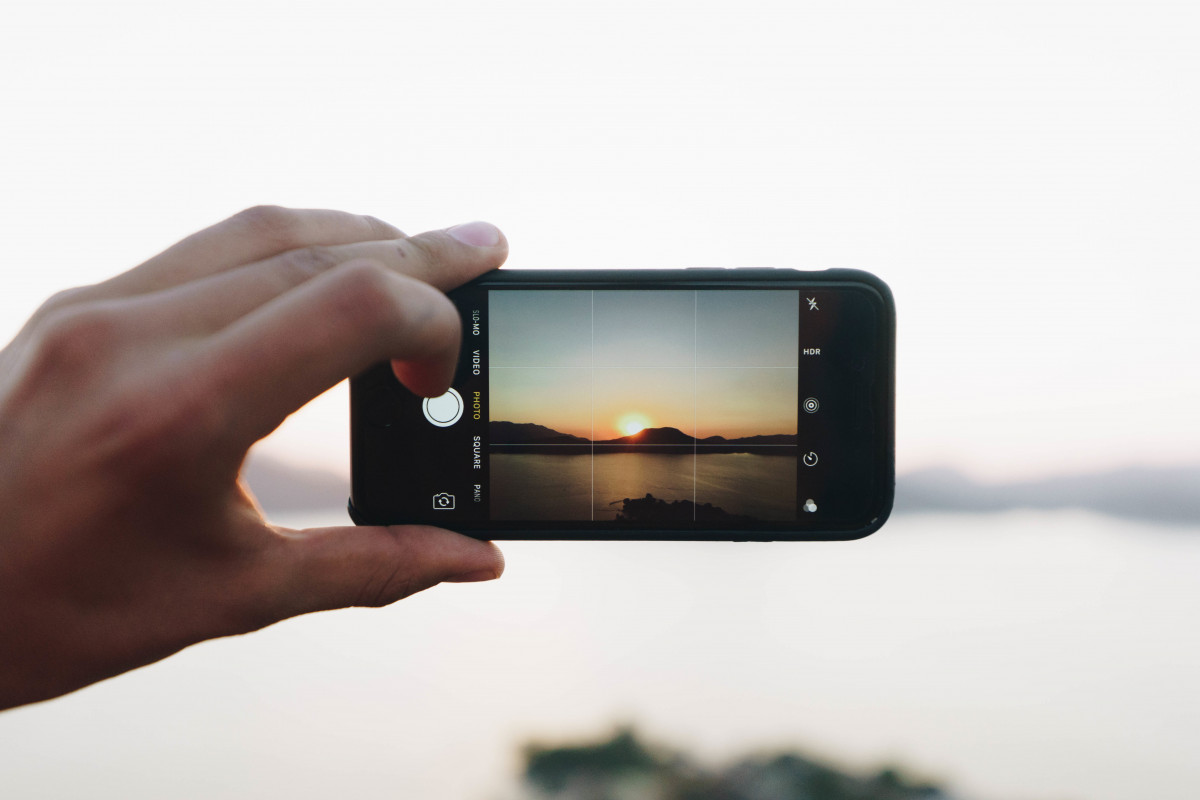
In contemporary mobile photography, the software and processing pipeline are just as crucial as the hardware, often dictating the final look and feel of the image.
G. Computational Photography (CP)
Computational photography is the use of digital computation instead of traditional optical processes to enhance or create an image. It is the secret sauce behind many stunning smartphone photos.
-
HDR (High Dynamic Range) processing is a key CP feature, blending multiple exposures to retain detail in both bright highlights and deep shadows simultaneously.
-
CP is responsible for features like “Night Mode,” which combines many frames captured at different exposures into a single, bright, and noise-free image.
-
Semantic Segmentation is a CP technique that uses AI to identify objects (sky, face, food) in the scene and apply targeted processing enhancements to each area.
H. Image Stabilization: OIS vs. EIS
Shaky hands are the enemy of sharp photography, making image stabilization a vital feature for high-quality photos and videos.
-
Optical Image Stabilization (OIS) is a hardware solution where the lens element or sensor physically shifts to counteract movement, resulting in better performance in low light and smoother video.
-
Electronic Image Stabilization (EIS) is a software solution that analyzes movement in the frame and corrects it digitally, typically requiring a slight crop of the image.
-
The best camera systems use a hybrid approach, combining OIS for primary motion dampening and EIS for fine-tuning during video capture.
I. Video Capabilities and Frame Rates
Smartphone video quality is judged by resolution, frame rate, and the ability to maintain stability and exposure control throughout the recording.
-
Modern standards require $4\text{K}$ resolution capability, often at $60$ frames per second ($\text{fps}$) for buttery smooth motion.
-
Advanced features like $8\text{K}$ recording are available but highly demanding on storage and processing power.
-
Professional-grade features such as manual exposure control, LOG or flat color profiles, and high dynamic range video modes are now appearing in flagship models.
User Experience and Specialized Features
Beyond the core technology, the practical features and usability of the camera app can dramatically influence your day-to-day photographic experience and creative output.
J. Portrait Mode and Depth Sensing
Portrait Mode uses a combination of the telephoto lens, multiple cameras, or software algorithms to simulate the shallow depth of field effect of a large DSLR camera.
-
Depth sensors (ToF or LiDAR) help accurately map the scene, allowing the software to precisely distinguish the subject from the background for a cleaner, more realistic bokeh effect.
-
The quality of the edge detection—the line where the blur begins—is the key measure of a great portrait mode.
-
The best systems allow you to adjust the intensity of the background blur after the photo has been taken, offering post-processing flexibility.
K. Pro/Manual Mode and Raw Capture
For serious enthusiasts, having full manual control over camera settings unlocks maximum creative potential and control over the final image quality.
-
Manual Mode allows you to independently adjust Shutter Speed, ISO, White Balance, and Focus, giving you complete command over the exposure.
-
RAW image capture records all the unprocessed data from the sensor. This provides the maximum flexibility for editing and color grading in post-production software without destructive compression.
-
The availability and depth of the Pro Mode interface should be a key consideration for anyone who enjoys editing their photos professionally.
L. Front-Facing Camera (Selfie Cam)
Often an afterthought, the quality of the front-facing camera is vital for social media users and video conferencing.
-
Look for a front camera with autofocus (AF), which is much better than fixed focus for sharp selfies at various distances.
-
High-resolution front cameras are important for video quality during live streaming or video calls.
-
Some flagship phones integrate the main camera’s advanced computational features, like Night Mode and HDR, into the front-facing sensor as well.
Choosing the right smartphone camera system is a balance of understanding these technical components, evaluating their synergistic function, and aligning them with your primary use cases, whether you are a video creator, a landscape enthusiast, or a casual social media user. The best system is the one that consistently delivers the quality and features you need most.
Conclusion: Quality Beyond Megapixels

Selecting a new smartphone camera system requires looking past simple megapixel marketing and appreciating the underlying technological complexity. The foundation of exceptional imagery rests firmly on the size of the sensor and the light-gathering capability of the lens’s aperture. Versatility is achieved through a comprehensive lens array, offering dedicated tools for ultra-wide, standard, and telephoto perspectives. The true magic lies in the computational photography software, which intelligently processes light, exposure, and color to produce a stunning final result.
Effective image stabilization, whether optical or electronic, ensures that both photos and videos remain sharp and blur-free even in challenging conditions. Features like RAW capture and Pro Mode empower creative users with professional-grade control over every aspect of the capture process. The ideal camera system is a seamless blend of superior hardware and smart software, delivering consistent, high-quality results across all lighting scenarios.